Instagram & Social Media
Do before-and-after Reels work for dentists?
Gabriel Gimenez · Published on September 19, 2026
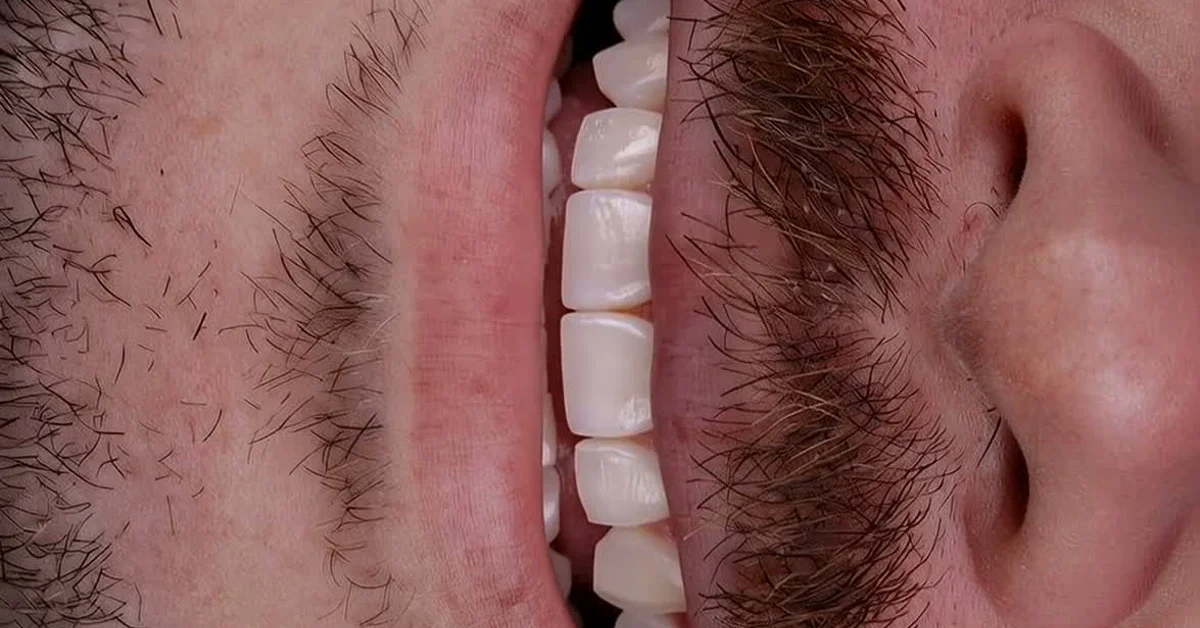
Yes, they work, and they are one of the formats that generate the most evaluation appointments for dentists. But only when the video shows a real case, with clinical context and patient authorization. The generic before-and-after Reel, the one with loud music and flashy transitions, performs worse every month.
The reason is simple: someone watching a smile transformation video is researching that treatment for themselves. If the video answers what that person wants to know (what it looked like before, how it turned out, how long it took), they save it, share it, or send a message. If it is just effects, they scroll on.
I see this every week with the dentists who use dentraw LAB: the case videos that bring in new patients are the ones that tell a small clinical story, not the most polished ones. Below I break down the format that works, the mistakes that kill reach, and the regulatory care you need.
Why does before-and-after work so well on Reels?
The before-and-after Reel works because it delivers in seconds the answer a hesitant patient is looking for: "does it actually turn out well?". A static result photo shows the after, but video shows the transformation happening, and that holds curiosity until the end.
Short definition: a before-and-after Reel is a short video that contrasts the initial state of a case with the final result, aiming to demonstrate the change, not to promise an outcome to the viewer.
Three factors explain the performance:
- High retention: the promise of the "after" keeps the viewer until the end, and retention is the metric the algorithm values most.
- Saves: anyone planning a treatment saves the video to show at their appointment or to review later, and saves weigh heavily in distribution.
- Direct shares: the video travels through DMs to the friend who "keeps talking about getting veneers", reaching someone who already has intent.
Which before-and-after Reel format brings in the most patients?
The format I recommend, after watching dozens of dentists test variations, has 4 parts:
- Text hook (0 to 2 seconds): the patient's complaint in one line, for example "she had not smiled in photos for 3 years".
- Real before (2 to 4 seconds): the initial photo or clip of the case, no filter.
- Transformation transition (3 to 6 seconds): the moment of change, where attention peaks.
- After with context (3 to 5 seconds): the result with a short on-screen caption of clinical context, like treatment type and approximate timeline.
Total: 7 to 15 seconds. Caption written for someone who wants to understand the case, not for someone who just wants to like it. And a simple closing call: "book an evaluation" works better than any forced creativity.
Which mistakes kill your Reel's reach?
I have made most of these mistakes myself while testing content with partner dentists. The list below is what I have seen hurt reach the most and, worse, create regulatory trouble:
- Promising results: phrases like "guaranteed perfect smile" violate dental advertising rules and also create unrealistic patient expectations.
- A before that is too dark or an after with a filter: if the comparison looks manipulated, negative comments come fast and reach drops.
- Video too long: past 20 seconds without a story, retention dies in the middle.
- Loud music with no text: a large share of people watch without sound; without on-screen captions, the video communicates nothing.
- Posting without patient authorization: beyond the ethical and legal risk, one complaint is enough to take the video down.
- Inconsistent frequency: one Reel a month gives the algorithm no history to understand your profile.
What do advertising rules allow in before-and-after content?
Dental advertising follows rules set by professional boards and regulators in each country, and they deal directly with publishing clinical cases. The points I always pass on to dentists:
- Get written authorization from the patient for image use, specifying the platforms.
- Present the case with clinical context, not as result advertising.
- Avoid terms that imply superiority or guarantees, like "the best result" or "pain free".
- Do not expose data that identifies the patient without explicit consent.
Dental advertising rules are updated periodically, so before building your content routine, check the current regulation in your country or state. This article is marketing guidance, not legal advice.
How do you produce these videos without becoming a slave to editing?
The bottleneck I hear from almost every dentist is the same: "I have the photos, but I have no time to edit video." That is exactly why Carlos Herton and I built Live inside dentraw LAB: you upload the case photos, choose the 9:16 Reels format, and get a finished transformation video with the transition built in.
The workflow dentists use most:
- Shoot the before and after at the same angle and lighting (this matters more than any editing).
- Upload the photos to Live and generate the vertical video.
- Add the text hook and caption directly in Instagram.
- Post, reply to comments in the first hours, and watch saves, not just likes.
A single video on Live costs R$6.90, and anyone producing weekly usually saves more with a subscription. The full pricing logic is detailed in the article on how much dentraw LAB costs.
FAQ
Can a dentist post before-and-after content on Instagram? Yes, with patient authorization and following the dental advertising rules in your country or state. Avoid promising results and sensationalism. Since regulations change, always check the current rules before publishing.
What is the ideal length for a before-and-after Reel? Between 7 and 15 seconds. The before shows up fast, the transformation fills the middle, and the after stays on screen long enough to sink in. Short videos hold retention better, and retention is what the algorithm rewards.
Do I need to show my face in the Reel? Not necessarily. Clinical case videos with voiceover or on-screen text perform well. Showing your face helps build connection, but what keeps a potential patient watching is the clarity of the before and after.
Do before-and-after Reels actually bring in patients? They do when the video answers what the viewer is wondering: how long it takes, whether it hurts, what it looks like at the end. Reach alone does not convert; what converts is the right case reaching the person already researching that treatment.
Can I use AI to build the before-and-after video? Yes. Tools like Live, from dentraw LAB, turn your case photos into a ready-to-post transformation video for Reels, with no editing required. The before and after are your real photos; the AI only builds the transition.
If you have case photos sitting on your phone waiting for "one day I will edit them", try generating your first transformation video now: start the free 3-day trial of dentraw LAB.
Related articles
Frequently asked questions
Can a dentist post before-and-after content on Instagram?
Yes, with patient authorization and following the dental advertising rules in your country or state. Avoid promising results and sensationalism. Since regulations change, always check the current rules before publishing.
What is the ideal length for a before-and-after Reel?
Between 7 and 15 seconds. The before shows up fast, the transformation fills the middle, and the after stays on screen long enough to sink in. Short videos hold retention better, and retention is what the algorithm rewards.
Do I need to show my face in the Reel?
Not necessarily. Clinical case videos with voiceover or on-screen text perform well. Showing your face helps build connection, but what keeps a potential patient watching is the clarity of the before and after.
Do before-and-after Reels actually bring in patients?
They do when the video answers what the viewer is wondering: how long it takes, whether it hurts, what it looks like at the end. Reach alone does not convert; what converts is the right case reaching the person already researching that treatment.
Can I use AI to build the before-and-after video?
Yes. Tools like Live, from dentraw LAB, turn your case photos into a ready-to-post transformation video for Reels, with no editing required. The before and after are your real photos; the AI only builds the transition.