AI for Dentists
How do you present a treatment quote with an AI smile simulation?
Gabriel Gimenez · Published on September 19, 2026
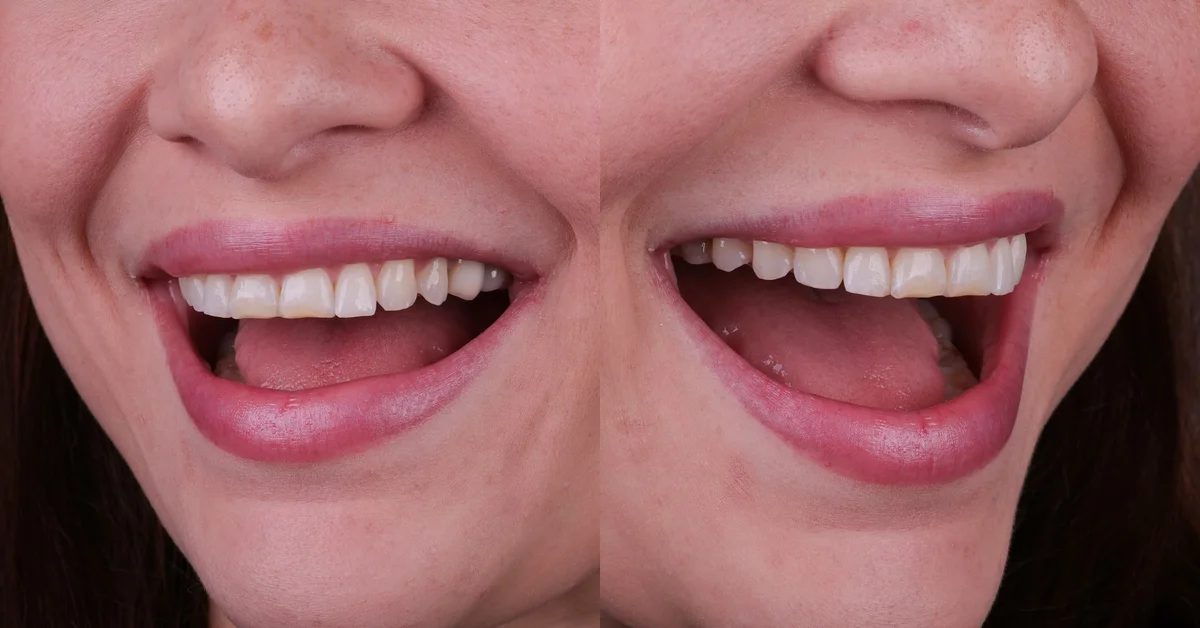
You present a quote with a smile simulation in four steps: photograph the patient at the first appointment, generate the simulation in dentraw LAB's Preview in seconds, show the before and after side by side on screen, and only then open the treatment plan with pricing. The simulation comes before the number, never after.
The logic is simple. When the patient sees their own face with a transformed smile, the conversation stops being "how much does it cost" and becomes "when do we start". The quote no longer competes with the money in their account; it competes with the image they just saw.
Below I break down the workflow I see working in clinics that use dentraw LAB, with the step by step, the exact moment to show the simulation, and the mistakes that kill case acceptance.
What do you need before presenting the quote?
Before talking about numbers, have three things ready: a good frontal photo of the patient, the generated simulation, and the plan structured in phases. Without these three elements, the presentation falls back into that abstract "let's place some veneers" conversation the patient cannot visualize.
The photo does not require professional gear. A frontal image taken with a smartphone, with light facing the face and a neutral background, already produces a solid simulation in Preview. If you want to raise the bar, place the patient near a window or use a simple reflector. What ruins a simulation is shadow on the face, a tilted photo, and an overly forced smile.
How do you build the simulation in Preview step by step?
This is the workflow I recommend for anyone starting out:
- Photograph the patient head on, at face level, with even lighting.
- Open Preview in dentraw LAB and upload the photo.
- Describe the goal of the case: whitening, veneers, alignment, diastema closure.
- Generate the simulation and compare the result with the patient's concern. If the preview does not reflect the clinical plan, adjust the description and generate again.
- Save the final image and leave it open on the office computer or tablet, ready for the conversation.
The whole process takes a few minutes. Many dentists do it with the patient still in the chair, between the clinical exam and the pricing conversation. Others prefer to generate ahead of the follow-up visit and walk in with the simulation ready.
When during the appointment should you show the simulation?
After hearing the concern and before saying any number. That is the rule.
The sequence that works in practice is this:
| Stage | What happens | Common mistake |
|---|---|---|
| 1. Listening | The patient explains what bothers them about their smile | Jumping straight to the exam without listening |
| 2. Evaluation | You examine and define the clinical plan | Explaining the plan in overly technical terms |
| 3. Simulation | You show the before and after on screen | Showing the image without tying it to the concern |
| 4. Conversation | You ask what they thought of what they saw | Not giving room for their reaction |
| 5. Quote | You present the plan in phases with pricing | Stating the price before stage 3 |
The most expensive mistake is flipping stages 3 and 5. When the price comes first, the patient spends the rest of the appointment calculating instead of imagining the result. I learned this working closely with the first dentists who tested dentraw LAB with me and Carlos: those who opened the appointment with a price list had low acceptance and complained that "patients only care about price". Once the simulation started coming first, the same clinic began hearing "how much would it be to make it look like this?", which is a completely different question.
How do you connect the simulation to the quote in the conversation?
The bridge between the image and the number is one simple sentence. After the patient reacts to the simulation, you say something like: "To get to this result, here is the plan", and you open the quote structured in phases.
One definition sums it up well: the simulation sells the destination, the quote explains the journey. If you present only the journey, the patient compares price. If you present the destination first, they compare value.
Three points make that connection stronger:
- Present the plan in phases, with what is done at each stage, not just the total.
- Use ranges when the case still depends on exams: "cases like this usually fall between X and Y, and I will confirm the exact figure after the impressions".
- Make it clear the simulation is an illustrative preview, not a guaranteed outcome. Aligning expectations protects you and builds trust, and it is worth checking your local dental board's current rules on this kind of material.
How much does it cost to present quotes with AI simulation?
At dentraw LAB, a single image generation costs R$3.90, so presenting one simulation per evaluation appointment costs less than the coffee in your waiting room. For dentists presenting simulations every week, plans starting at R$333 per month work out cheaper per generation, and there is a free 3-day trial to test with a real case. Clients outside Brazil are billed in dollars, converted from the Brazilian pricing table. I break down the full pricing logic in the article how much does dentraw LAB cost.
Compare that with the cost of a case that does not close: an aesthetic rehabilitation typically runs into the thousands, depending on material and the number of teeth. If the simulation helps close one case that would have walked out "to think about it", it pays for itself on the first acceptance.
FAQ
Do I need special equipment for the simulation photo? No. A well-lit frontal photo taken with a smartphone already works in Preview. Aim for a neutral face or a smile, a plain background, and light facing the patient.
Does the simulation guarantee the final treatment result? No. The simulation is an aesthetic preview to align expectations, not a clinical promise. Make that clear to the patient during the presentation, in line with the current advertising rules in your jurisdiction.
How much does it cost to generate a smile simulation? At dentraw LAB, a single image generation costs R$3.90, and plans start at R$333 per month. Clients outside Brazil are billed in dollars. There is a free 3-day trial to test with a real case.
Should I show the simulation before or after quoting the price? Before. The sequence that works best is: the patient's concern, the simulation on screen, a conversation about what they saw, and only then the quote. The price is now compared to the result they visualized, not to the money in their account.
Can I send the simulation to the patient after the appointment? Yes, and it helps patients who need to decide at home. Many dentists send the image along with the plan over WhatsApp. Agree with the patient that the preview is illustrative.
If you want to present your next quote with the smile simulation on screen, start your free 3-day trial of dentraw LAB now.
Related articles
Frequently asked questions
Do I need special equipment for the simulation photo?
No. A well-lit frontal photo taken with a smartphone already works in Preview. Aim for a neutral face or a smile, a plain background, and light facing the patient.
Does the simulation guarantee the final treatment result?
No. The simulation is an aesthetic preview to align expectations, not a clinical promise. Make that clear to the patient during the presentation, in line with the current advertising rules in your jurisdiction.
How much does it cost to generate a smile simulation?
At dentraw LAB, a single image generation costs R$3.90, and plans start at R$333 per month. Clients outside Brazil are billed in dollars. There is a free 3-day trial to test with a real case.
Should I show the simulation before or after quoting the price?
Before. The sequence that works best is: the patient's concern, the simulation on screen, a conversation about what they saw, and only then the quote. The price is now compared to the result they visualized, not to the money in their account.
Can I send the simulation to the patient after the appointment?
Yes, and it helps patients who need to decide at home. Many dentists send the image along with the plan over WhatsApp. Agree with the patient that the preview is illustrative.