AI for Dentists
What is AI intraoral photo enhancement?
Gabriel Gimenez · Published on September 19, 2026
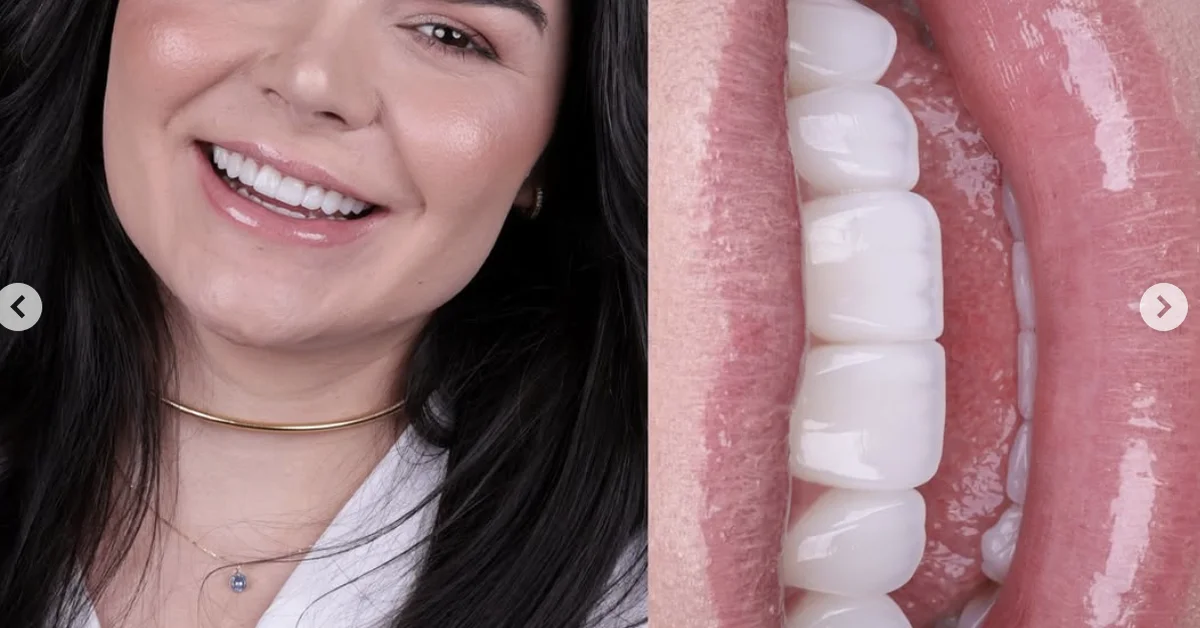
AI intraoral photo enhancement is the use of artificial intelligence to automatically fix the most common technical problems in clinical dental photography: blur, uneven lighting, yellowish tones from operatory lights, and sensor noise from phone cameras. Instead of opening an editor and adjusting every parameter by hand, you upload the photo and get back a sharp, well exposed, color accurate version in seconds.
In practice, it is the difference between throwing away half the photos from a session and keeping almost all of them. The anatomy, the condition of the teeth, and the soft tissue stay exactly the same: what changes is the technical quality of the image, which now shows what your eye actually saw in the patient's mouth.
At dentraw LAB, this tool lives inside the Studio, next to the resolution upscaler. You can try it free for 3 days with photos from a real case.
How does AI enhancement work in practice?
The workflow inside the dentraw LAB Studio is straightforward:
- Photograph the patient as you normally would, with your phone or your office camera.
- Upload the photo to the intraoral enhancement tool in the Studio.
- The AI analyzes the image and automatically corrects sharpness, exposure, white balance, and noise.
- Download the enhanced version and use it wherever you need it: patient records, case presentations, lab communication, or social media.
There is no editing software learning curve. If you can take the photo, you can use the tool on day one.
Which intraoral photo problems can AI fix?
| Common capture problem | What the AI does |
|---|---|
| Slight blur from hand shake or patient movement | Recovers sharpness and edge definition |
| Overhead light blowing out one area | Balances exposure between bright and dark regions |
| Yellowish or bluish cast from operatory lighting | Adjusts white balance toward natural tones |
| Sensor noise in low light conditions | Reduces grain without losing tissue texture |
| Low resolution after cropping the image | Pairs with upscaling, which increases resolution |
The honest limit: a photo that is completely out of focus, or where the area of interest is covered by saliva and mirror, cannot be recovered. AI improves what exists; it does not invent what the camera never captured.
Why does clinical photo quality matter so much?
I learned this firsthand talking with dentists during the dentraw LAB launch in April 2026. One case stuck with me: a dentist showed me her veneer portfolio and every photo made the work look average. When she ran the enhancement in the Studio, the same images revealed texture, translucency, and finishing that the original photos had hidden. The clinical work was good all along; the photography was the part not doing it justice.
High quality intraoral photos affect three fronts: clinical documentation, which becomes more faithful for future comparison; lab communication, where shade and detail come through clearly; and patient presentations, where people understand a case when the image is clean. For advertising use, remember to check your local dental board's current rules on patient images and before and after content.
What is the difference between enhancement, upscaling, and manual editing?
These are three approaches for three different problems:
- AI enhancement: automatically fixes technical quality (sharpness, light, color, noise). This is the everyday tool.
- AI upscaling: increases the resolution of a small or cropped photo. In dentraw LAB it sits in the Studio next to enhancement, and I cover it in the article on how to upscale dental photos without losing quality.
- Manual editing: full control in dedicated software, useful for specific scientific publication requirements. It costs time and takes skill.
For the day to day of a practice, automatic enhancement covers the vast majority of situations. The foundation is still a good capture: it is worth reading the guide on how to take professional dental photos with your phone.
How much does photo enhancement cost at dentraw LAB?
Intraoral enhancement is included in the Studio, with no separate per tool fee: you pay per generation with individual credits (R$3.90 per image) or use it constantly on a subscription, starting at R$333 per month, with a free 3 day trial. Clients outside Brazil are billed in dollars, converted from the Brazilian pricing table. The logic is simple: if you enhance photos every week, the plan gives you a lower cost per generation. Full pricing is in the article how much does dentraw LAB cost.
FAQ
Does AI photo enhancement replace manual editing? In most cases, yes. AI handles sharpness, exposure, and color corrections in seconds. Detailed manual editing is only needed for very specific cases, like scientific publications with their own requirements.
Does enhancing a photo with AI alter the clinical record? It should not. Enhancement fixes technical capture issues, like blur and lighting, without modifying anatomy or the condition of the teeth. Always keep the original file with the patient record.
Do I need a professional camera to use AI enhancement? No. The tool was designed specifically for photos taken with a phone. A reasonable capture, with approximate focus and good mouth opening, already produces a high quality enhanced result.
What is the difference between enhancement and dental photo upscaling? Enhancement fixes quality: sharpness, light, color, and noise. Upscaling increases the file resolution, useful when a photo came out small or was cropped. In dentraw LAB, both tools are in the Studio.
Can I use enhanced photos on my practice's Instagram? Yes, as long as you have the patient's authorization to use their image. Also check your local dental board's current rules on advertising before publishing before and after photos.
If you want to see your own intraoral photos enhanced in seconds, start your free 3 day trial of dentraw LAB now.
Related articles
Frequently asked questions
Does AI photo enhancement replace manual editing?
In most cases, yes. AI handles sharpness, exposure, and color corrections in seconds. Detailed manual editing is only needed for very specific cases, like scientific publications with their own requirements.
Does enhancing a photo with AI alter the clinical record?
It should not. Enhancement fixes technical capture issues, like blur and lighting, without modifying anatomy or the condition of the teeth. Always keep the original file with the patient record.
Do I need a professional camera to use AI enhancement?
No. The tool was designed specifically for photos taken with a phone. A reasonable capture, with approximate focus and good mouth opening, already produces a high quality enhanced result.
What is the difference between enhancement and dental photo upscaling?
Enhancement fixes quality: sharpness, light, color, and noise. Upscaling increases the file resolution, useful when a photo came out small or was cropped. In dentraw LAB, both tools are in the Studio.
Can I use enhanced photos on my practice's Instagram?
Yes, as long as you have the patient's authorization to use their image. Also check your local dental board's current rules on advertising before publishing before and after photos.