Before & After
What is the ideal transformation video format for social media?
Gabriel Gimenez · Published on September 19, 2026
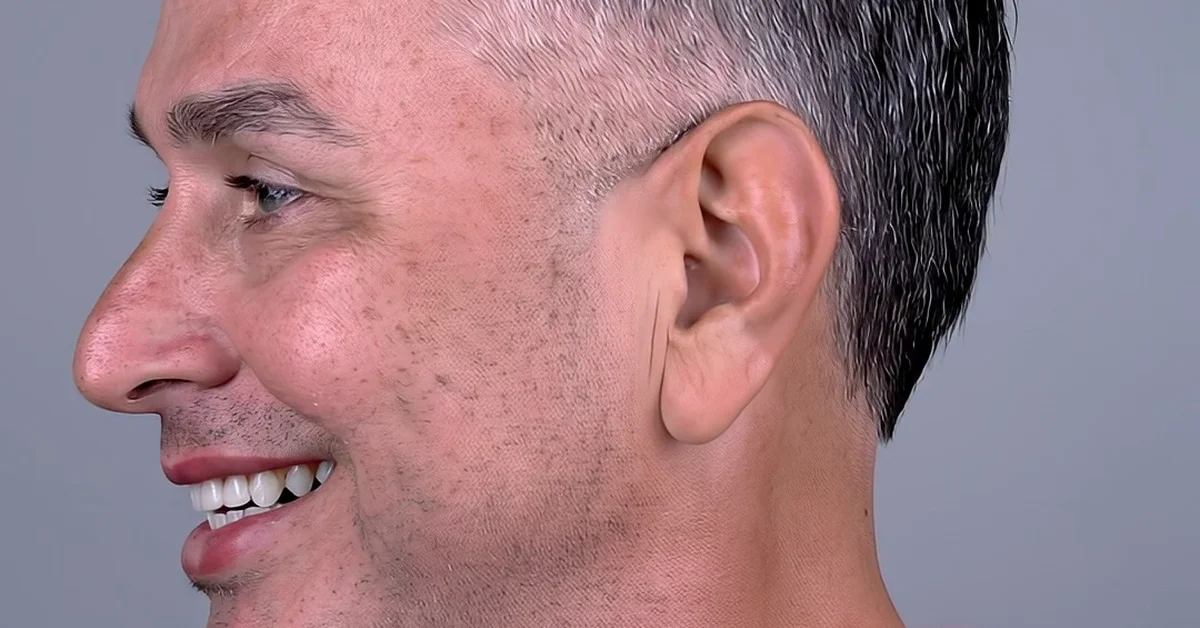
The ideal transformation video format for social media is vertical 9:16, at 1080 by 1920 pixels, 15 to 60 seconds long. It is the native format of Instagram Reels, TikTok and YouTube Shorts, which means a single file works on all three platforms with no re-editing.
In practice: the before shows up in the first 2 to 3 seconds, the transition happens fast, and the after fills most of the video. Horizontal 16:9 only makes sense for traditional YouTube or in-office presentations, and square 1:1 has fallen behind in organic reach.
Live, the transformation video tool from dentraw LAB, already exports exactly in that format: 9:16 vertical, ready to post. Below I break down the formats per platform and the mistakes I see most often in videos dentists send me.
What format does each social platform ask for?
| Platform | Format | Resolution | Recommended length |
|---|---|---|---|
| Instagram Reels | 9:16 vertical | 1080 x 1920 | 15 to 60 seconds |
| TikTok | 9:16 vertical | 1080 x 1920 | 15 to 60 seconds |
| YouTube Shorts | 9:16 vertical | 1080 x 1920 | 15 to 60 seconds |
| Instagram feed | 4:5 vertical | 1080 x 1350 | up to 60 seconds |
| Traditional YouTube | 16:9 horizontal | 1920 x 1080 | over 1 minute |
| Stories | 9:16 vertical | 1080 x 1920 | up to 15 seconds per card |
The takeaway from this table is straightforward: if you produce in 9:16, one file covers the three platforms that deliver the most organic reach today. The 4:5 feed format and 16:9 YouTube format are secondary for transformation content.
Why does 9:16 beat the other formats?
The reason is mechanical, not aesthetic. The three biggest short-video distributors (Reels, TikTok and Shorts) were designed for fullscreen vertical. When you post horizontal or square, the video shows up with black bars, takes up less screen, and the algorithm tends to distribute it less.
A short definition I use when talking with dentists: a transformation video is a short, vertical video that shows the initial state of the smile in the first seconds and the simulated result right after, built to be watched without sound and with the thumb ready to swipe. Anything that strays from that lowers retention.
There is also a clinical side: the smile sits at the center of the face, and vertical framing brings the viewer closer to that face. In a before and after, that closeness is what makes the transformation feel real.
How do you structure a transformation video in 9:16?
The step by step I recommend, based on what I see working in the practices that use dentraw LAB:
- Seconds 0 to 3: show the before, with the real clinical photo or the initial state of the smile. No logo, no intro, no "hey guys".
- Seconds 3 to 6: quick transition. A hard cut or a light movement is enough; an overly fancy effect distracts from the result.
- Seconds 6 to 20: the after, with the simulation front and center. If you have an animated transformation video, this is where it goes.
- Seconds 20 to 30: minimal context as on-screen text: the type of simulated treatment, with no promise of results, and an invitation to book a consultation.
- Ending: a text call to action, like "book a consultation", inside the screen's safe margins.
One mistake I made early on, when Carlos and I were testing the first Live videos: putting the dentraw LAB brand in the opening seconds. Retention dropped visibly. When we flipped it, result first and brand only at the end, the same video held far more viewers to the finish.
What does Live from dentraw LAB deliver in terms of format?
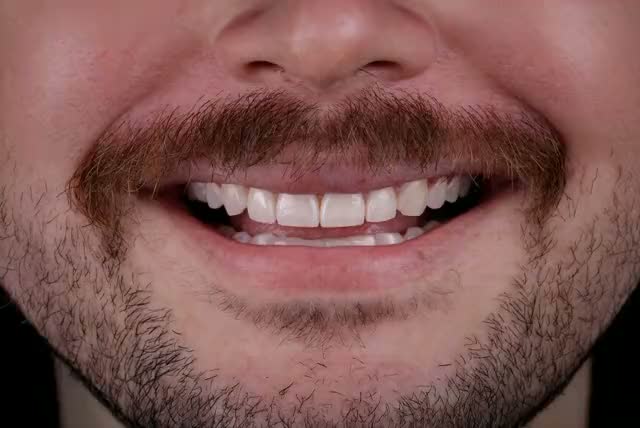
Live generates the smile transformation video already in 9:16 vertical, from the patient's clinical photos. You do not need to edit, crop or adapt anything: the file comes out ready for Reels, TikTok and Shorts.
The workflow inside dentraw LAB is: you upload the case photos, Preview generates the smile simulation, and Live turns that simulation into an animated vertical video. If you want the full process, I wrote the step by step in the article on how to generate smile transformation videos with AI.
One note I always make: the video shows an aesthetic simulation, not a promise of clinical results. Check your local dental board's current advertising rules before publishing before and after content from real cases.
Which mistakes kill a video's reach?
The four I see most when dentists show me videos that underperformed:
- Posting horizontal with black bars: it halves the screen and the algorithm distributes it less.
- Taking too long to show the transformation: a long intro, animated logo or opening talk makes people swipe before the result.
- Text outside the safe margins: captions at the bottom get covered by the Reels and TikTok interface.
- Video too long: past 60 seconds, retention falls off a cliff for transformation content. If the case is complex, split it into a series.
FAQ
What video format works on every platform? Vertical 9:16, at 1080 by 1920 pixels. The same file can be published on Instagram Reels, TikTok and YouTube Shorts without re-editing.
What is the ideal length for a transformation video? Between 15 and 60 seconds. The result reveal should happen in the first few seconds, because most viewers decide whether to keep watching right at the start.
Is square 1:1 video still worth it? It still shows up in the static Instagram feed, but organic video reach today is concentrated in vertical formats. Prioritize 9:16.
Does Live from dentraw LAB already export in the right format? Yes. Live generates the transformation video in 9:16 vertical, ready to publish on Reels, TikTok and Shorts with no cropping.
Do I need captions on the video? I recommend it. Many people watch without sound, so on-screen text explaining the case improves retention. Respect each platform's safe margins.
If you want to generate your first 9:16 transformation video from a real case, start your free 3-day trial now.
Related articles
Frequently asked questions
What video format works on every platform?
Vertical 9:16, at 1080 by 1920 pixels. The same file can be published on Instagram Reels, TikTok and YouTube Shorts without re-editing.
What is the ideal length for a transformation video?
Between 15 and 60 seconds. The result reveal should happen in the first few seconds, because most viewers decide whether to keep watching right at the start.
Is square 1:1 video still worth it?
It still shows up in the static Instagram feed, but organic video reach today is concentrated in vertical formats. Prioritize 9:16.
Does Live from dentraw LAB already export in the right format?
Yes. Live generates the transformation video in 9:16 vertical, ready to publish on Reels, TikTok and Shorts with no cropping.
Do I need captions on the video?
I recommend it. Many people watch without sound, so on-screen text explaining the case improves retention. Respect each platform's safe margins.