Instagram & Social Media
How to caption a dental procedure video for Instagram?
Gabriel Gimenez · Published on September 19, 2026
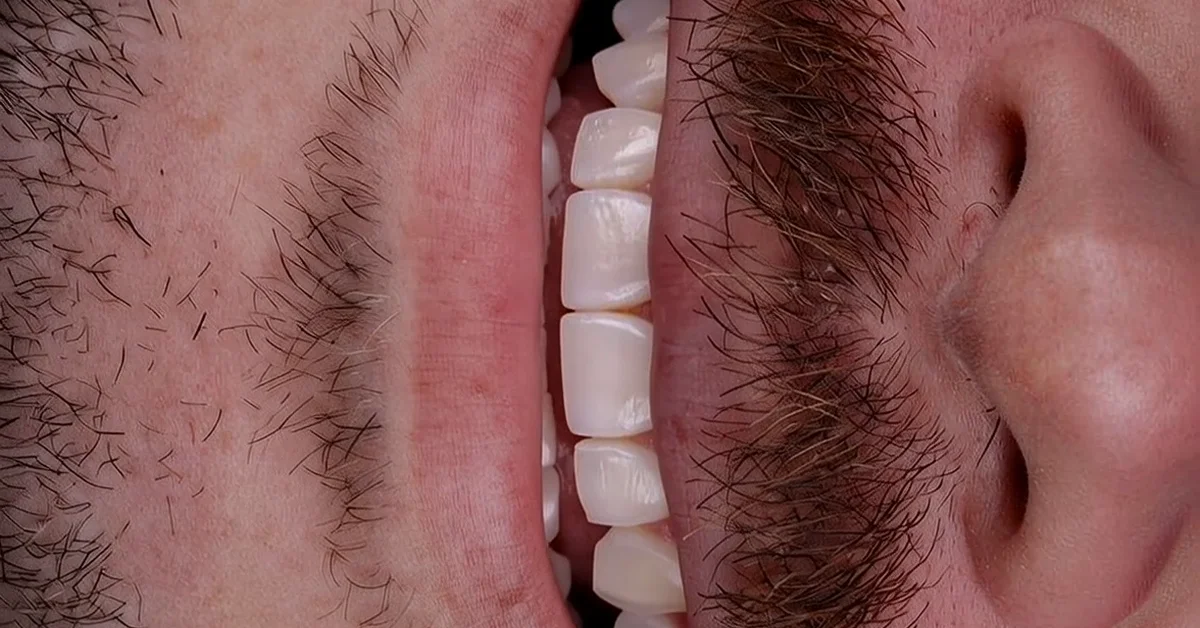
To caption a dental procedure video for Instagram, the most reliable path is this: transcribe the audio with an AI tool, manually review the technical terms, burn the captions into the video in a large font with at most two lines, and post in 9:16 format. Do not rely on Instagram's auto captions, because they fail exactly where it hurts most: material names, tooth numbers, and procedure names.
On-screen captions are not an accessory. Most people watch Reels with the sound off, and a procedure video without captions becomes images flashing by. Good captioning holds the viewer until the before and after, which is where the video does the convincing.
Below I walk through the full process I use with dentists on dentraw LAB, from transcript to publishing, including the care you need with dental advertising rules.
What is the difference between video captions and the post caption?
They are two things that work together, and mixing them up is the most common mistake I see.
- Burned-in captions (closed captions): the text that appears on screen while the video plays. They serve viewers watching without sound and reinforce the terms you want stuck in the patient's mind.
- Post caption: the text that goes with the post. This is what Instagram reads to understand what your content is about and who to show it to.
A well-captioned video has both: the speech transcribed on screen and a post caption that tells the story of the case in 3 to 5 lines, with a hook in the first sentence. If you want to go deeper on post captions, I wrote a full article on how to write captions that sell for dental posts.
How do you caption a video step by step?
This is the workflow I recommend, from raw footage to published:
- Shoot or generate the video in 9:16, with good lighting and the patient's face either authorized in writing or out of frame.
- Transcribe the audio with AI. CapCut, transcription apps, or your phone's built-in editor do this in seconds.
- Review the technical terms one by one. "Veneers" comes out mangled, "composite" gets misspelled, material names never come out right the first time. That review is what separates a professional video from an amateur one.
- Break it into short phrases, 3 to 6 words per block, at most two lines on screen.
- Place the text in the lower half, without covering the patient's mouth or the dentist's hands, and leave margin so Instagram's buttons do not overlap the text.
- Highlight the keywords (before, after, treatment time, procedure name) with color or bold, if the tool allows it.
- Export in high resolution and watch the full video on a phone before posting. What looks readable on a computer disappears on a small screen.
Which captioning mistakes make patients skip the video?
At dentraw LAB I talk with dentists every week about the videos they post, and the mistakes repeat themselves:
| Mistake | Why it pushes patients away | Fix |
|---|---|---|
| Trusting Instagram's auto captions | Technical terms come out wrong and look sloppy | Generate, review, and burn captions into the video |
| Long phrases of 3 lines or more | Nobody reads paragraphs on Reels | Blocks of 3 to 6 words |
| Captions covering the smile | Hides exactly what sells the case | Lower half, with margin from the buttons |
| Small or low-contrast font | Unreadable on a phone screen | Large white font with outline or background |
| Overly technical language | The patient does not know what a "full arch protocol" is | Translate to what they get: "fixed full set of teeth" |
A simple rule: captions on a procedure video are a translation of technical speech into patient language, not a faithful transcript of what the dentist said in the chair.
What do dental advertising rules say about these videos?
A procedure video is advertising, and dental advertising has rules. The points I always stress:
- Written patient consent before any image goes live, even if the face is not shown.
- No promised results: captions like "guaranteed results" or "perfect smile" are a liability, not marketing.
- Be careful with blood and tissue footage, which besides being sensitive also kills the video's reach on Instagram itself.
- Before and after: allowed within limits, but with context and without sensationalism.
Rules change and every country or board may interpret them differently, so before you build your posting routine, verify the regulation currently in force where you practice. What I describe here is marketing practice, not legal advice.
How can AI speed up the production of these videos?
The part that eats the most time is not captioning, it is assembling the video. I learned this the hard way: in the early days of dentraw LAB, Carlos Herton and I filmed the platform's first demo videos ourselves, and half the time went into cutting, syncing, and reviewing captions. That was one of the reasons we built Live, which generates the case transformation video already in Reels format, ready to caption and post.
The workflow I see working best in practices is this: the clinical case becomes a before-and-after video in Live, the burned-in captions get added with CapCut or an AI transcription tool, and the post caption comes from dentraw LAB's content planning. What used to take an entire afternoon now fits between appointments. If you want to see pricing first, I broke it all down in the article how much does dentraw LAB cost.
FAQ
Are Instagram's auto captions good enough? Not for dental content. Auto captions butcher technical terms and material names. The right move is to generate the captions, review them word by word, and burn them into the video before posting.
What is the ideal caption size inside the video? A font large enough to read on a phone without effort, with at most two lines at a time, placed in the lower half without covering the patient's mouth or the dentist's hands.
Do I need captions on a video with no voiceover? No. If the video is just footage with music, captions add nothing. In that case, focus on the first frame text and the post caption, which is what convinces people to watch until the end.
Can I show the full procedure on Instagram? Yes, as long as the patient gave written consent and the content follows current dental advertising rules. Before posting, check the regulation in force in your country or state board.
Which tool should I use for captions? CapCut and AI transcription tools work well. On dentraw LAB, Live already generates the transformation video ready to caption and post, which shortens the whole process.
If you want to turn your clinical cases into Instagram-ready videos without losing an afternoon to editing, start your free 3-day trial of dentraw LAB now.
Related articles
Frequently asked questions
Are Instagram's auto captions good enough?
Not for dental content. Auto captions butcher technical terms and material names. The right move is to generate the captions, review them word by word, and burn them into the video before posting.
What is the ideal caption size inside the video?
A font large enough to read on a phone without effort, with at most two lines at a time, placed in the lower half without covering the patient's mouth or the dentist's hands.
Do I need captions on a video with no voiceover?
No. If the video is just footage with music, captions add nothing. In that case, focus on the first frame text and the post caption, which is what convinces people to watch until the end.
Can I show the full procedure on Instagram?
Yes, as long as the patient gave written consent and the content follows current dental advertising rules. Before posting, check the regulation in force in your country or state board.
Which tool should I use for captions?
CapCut and AI transcription tools work well. On dentraw LAB, Live already generates the transformation video ready to caption and post, which shortens the whole process.